

银河麒麟下怎么安装和配置Prometheus
在银河麒麟系统上部署Prometheus,其实是个细致活。先跟大家说几个关键点:必须拿准你的CPU架构是ARM64还是AMD64;安装路径要规范,不能随意解压;必须用非root用户启动,最后还要注册成systemd服务。这几步要是跳过了,后面启动不了、端口不监听、配置不生效,都是常有的事。 在银河麒

确认系统架构并下载对应安装包
第一步,搞清楚手底下的机器是什么架构。执行uname -m,如果返回的是 【aarch64】,那就老老实实下载 linux-arm64.tar.gz 包;如果是 x86_64,则去拿 linux-amd64.tar.gz。选错了会直接报错“cannot execute binary file”,这个错很直接,不用怀疑人生。
Prometheus 的官方 Release 页面上有各版本下载,比如 v2.49.1 的 ARM64 包地址就是这个:
https://github.com/prometheus/prometheus/releases/download/v2.49.1/prometheus-2.49.1.linux-arm64.tar.gz 用 wget 拉下来以后,顺手校验一下 SHA256 值,避免下载文件有损坏:
wget https://github.com/prometheus/prometheus/releases/download/v2.49.1/prometheus-2.49.1.linux-arm64.tar.gz && sha256sum prometheus-2.49.1.linux-arm64.tar.gz
创建标准部署目录并解压
解压这个动作,千万别往 /root 或者当前用户的家目录下手。那样做,后续 systemd 服务启动时,会因为权限或者路径不可靠,直接罢工。 正确的做法是建立一个规范的目录结构:mkdir -p /opt/prometheus/{bin,conf,data}
然后解压到 bin 目录,并且把顶层文件夹剥掉:
tar -zxvf prometheus-2.49.1.linux-arm64.tar.gz -C /opt/prometheus/bin --strip-components=1
接下来,把默认的配置模板搬到 conf 目录里:
cp /opt/prometheus/bin/prometheus.yml /opt/prometheus/conf/
最后,给主程序加上可执行权限:
chmod +x /opt/prometheus/bin/prometheus
配置自监控并验证语法
Prometheus 的默认配置基本是空的。如果不添加抓取目标,等会儿你在 Web 界面上会看到“No targets”,metrics 接口也拿不到数据。 编辑配置文件:vim /opt/prometheus/conf/prometheus.yml
在 scrape_configs: 下面,插入一个静态任务(注意缩进必须是2个空格):
- job_name: 'prometheus'同时,记得在
static_configs:
- targets: ['localhost:9090']
global: 块里把采集间隔设置好。在ARM平台上,建议不小于30s,太短的话,低性能设备可能会扛不住:
scrape_interval: 30s
保存后,用 promtool 检查一下语法,这个检查直接决定后面能不能跑起来:
/opt/prometheus/bin/promtool check config /opt/prometheus/conf/prometheus.yml
输出 “SUCCESS” 才说明没问题。
创建专用用户并手动启动验证
第一步,创建一个没有登录权限的专用用户:useradd -r -s /sbin/nologin prometheus
第二步,把整个部署目录的归属权交给这个用户:
chown -R prometheus:prometheus /opt/prometheus
第三步,切换到这个用户,在前台跑一下 Prometheus,看看日志有没有异常:
sudo -u prometheus /opt/prometheus/bin/prometheus第四步,另开一个终端,检查 9090 端口是不是在监听了:
--config.file=/opt/prometheus/conf/prometheus.yml
--storage.tsdb.path=/opt/prometheus/data
--web.console.libraries=/opt/prometheus/bin/console_libraries
--web.console.templates=/opt/prometheus/bin/consoles
ss -tlnp | grep :9090
看到 prometheus 的进程在,就说明启动成功了。
第五步,打开浏览器,访问 http://本机IP:9090/targets,确认状态那一栏是 UP,标签显示 instance="localhost:9090"。
注册为 systemd 服务实现开机自启
创建服务文件:sudo vim /etc/systemd/system/prometheus.service
填入下面内容,注意 User 和 ExecStart 的路径一定要和实际部署的一致:
[Unit]重载 systemd 配置,然后启用并立即启动服务:
Description=Prometheus Monitoring System
After=network.target
[Service]
Type=simple
User=prometheus
Group=prometheus
ExecStart=/opt/prometheus/bin/prometheus
--config.file=/opt/prometheus/conf/prometheus.yml
--storage.tsdb.path=/opt/prometheus/data
--web.console.libraries=/opt/prometheus/bin/console_libraries
--web.console.templates=/opt/prometheus/bin/consoles
--web.enable-lifecycle
Restart=always
RestartSec=10
LimitNOFILE=65536
[Install]
WantedBy=multi-user.target
sudo systemctl daemon-reload && sudo systemctl enable --now prometheus
最后,检查一下服务状态:
sudo systemctl status prometheus
输出中包含 “active (running)”,整个部署就算完成了。 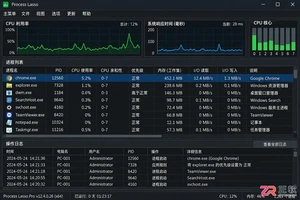
新手如何设置 Process Lasso 专业版?本文详解主窗口、ProBalance、性能模式、应用电源计划及效率模式的配置方法,助您优化系统响应与进程优先级。
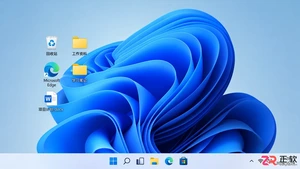
适合新手的Windows自学教程,详解开始菜单搜索、任务栏快速设置、文件资源管理器导航及系统设置入口,助你快速熟悉Windows 11/10基础操作。
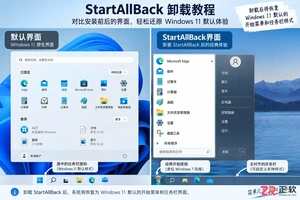
指导用户安全卸载StartAllBack,包括恢复界面设置、通过Windows设置移除程序、重启验证及处理残留异常的方法,避免误操作导致系统不稳定。
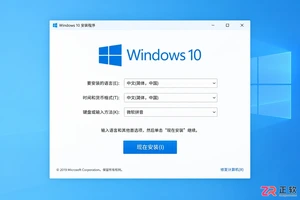
遇到Windows 10安装时找不到U盘的情况?本文详解如何区分系统识别、启动菜单和安装界面三类问题,涵盖官方介质制作、USB接口选择、UEFI设置及驱动加载方法,助您快速解决安装障碍。
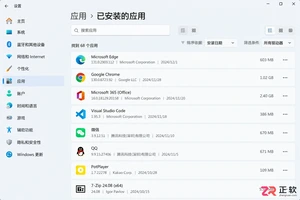
想知道Windows卸载软件在哪里操作?本文详解设置、控制面板、开始菜单及Store应用的卸载入口,提供备份数据、处理卸载向导及清理残留的完整指南,避免误删系统组件。
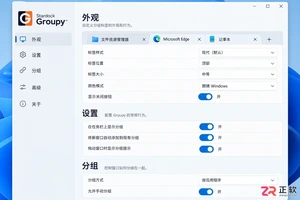
想让Groupy登录Windows后自动运行?本文详解在系统设置和任务管理器中开启Groupy开机启动的方法,以及通过启动文件夹手动添加的技巧,最后演示如何验证窗口拖放分组效果。

详解 Windows 10 自定义安装中清空目标硬盘全部分区的操作步骤。从数据备份、U盘启动到删除分区重建系统结构,提供安全的界面导览与注意事项,适合需要彻底重置电脑的用户。
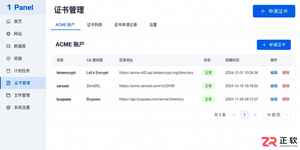
遇到 1Panel 申请证书失败?本文通过界面区域导览,详细讲解 ACME 账户、DNS 账号权限、手动解析记录、HTTP 80 端口连通性及网站 SSL 配置等关键排查点,助你解决证书申请难题。
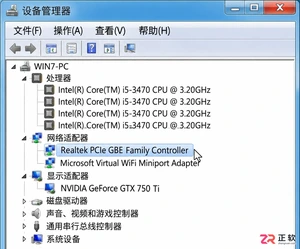
详细讲解如何将Windows 7系统替换为Windows 10,包括升级与全新安装的选择、关键数据备份、U盘启动盘制作、磁盘分区操作及驱动恢复步骤。注意Windows 10支持周期已结束,需做好安全规划。
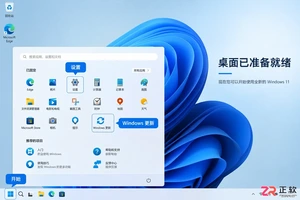
详细讲解Windows系统安装步骤,包括使用Media Creation Tool制作启动U盘、BIOS/UEFI启动设置、磁盘分区选择及驱动激活检查。区分就地重装与全新安装,帮助用户安全完成系统部署。




WPS Office是一款面向macOS用户的综合办公套件,将文字处理、电子表格、演示文稿、PDF工具、模板与云协作整合在同一应用中。它兼容常见Microsoft Office格式,支持Intel及Apple芯片Mac,基础功能可免费使用,
Shapr3D是一款面向工业设计、机械工程、建筑概念和三维打印工作流的CAD软件。Mac版采用Parasolid建模内核,支持草图约束、实体建模、工程图、可视化渲染及常见CAD格式交换,并可通过账户在多台设备之间同步项目。
REAPER是Cockos开发的数字音频工作站,提供多轨音频与MIDI录制、剪辑、处理、混音和母带制作工具。Mac版兼容Intel与Apple芯片,支持AU、VST、VST3、CLAP等插件格式,并提供高度可定制的工作流程。

Autodesk Fusion 是面向产品设计与制造的云连接开发平台,在统一环境中整合三维 CAD、CAM、CAE、PCB、工程图、数据管理和团队协作功能,适合产品设计师、机械工程师、电子工程师及加工制造团队完成从概念建模、验证分析到生产交

Archicad 是 Graphisoft 面向建筑师、设计师、工程师及 BIM 团队开发的建筑信息模型平台。它把三维建筑建模、施工文档、数据管理、专业协调、实时协作和可视化集中在统一项目环境中,适合从概念方案到施工交付的完整建筑设计流程。

Vectorworks Architect 是面向建筑师、室内设计师和建筑顾问的综合设计与BIM平台,覆盖概念草图、二维制图、三维建模、施工文档、数据报表、可视化及开放式协作。它强调自由造型与数据化建筑对象并存,