

Linux C++多进程编程技巧
在Linux环境下用C++搞多进程编程,说到底就是几条路可以走。来,咱们一个一个捋清楚,从最基础的fork()到更现代的posix_spawn(),再到进程间通信的各种手段——掌握了这些,基本就能应对大部分场景了。 1. 使用 fork() 创建子进程 fork()是古董级但极其好用的函数。调用一次
在Linux环境下用C++搞多进程编程,说到底就是几条路可以走。来,咱们一个一个捋清楚,从最基础的fork()到更现代的posix_spawn(),再到进程间通信的各种手段——掌握了这些,基本就能应对大部分场景了。

1. 使用 fork() 创建子进程
fork()是古董级但极其好用的函数。调用一次,返回两次——父进程拿到子进程的PID,子进程拿到0。它会完整复制父进程的地址空间,子进程一诞生就拥有了父进程几乎所有的“家当”。来看个基础用法:
#include
#include
#include
#include

int main() {
    pid_t pid = fork();
    if (pid == -1) {
        perror("fork failed");
        return 1;
    } else if (pid == 0) {
        // 子进程
        std::cout << "Child process, PID: " << getpid() << std::endl;
    } else {
        // 父进程
        int status;
        waitpid(pid, &status, 0); // 等待子进程结束
        std::cout << "Parent process, child PID: " << pid << std::endl;
    }
    return 0;
}
2. 使用 pipe() 进行进程间通信
父子进程之间怎么传数据?管道是个简单直接的选择。pipe()创建一对文件描述符,一个读端一个写端。注意:用之前要先把不需要的一端关掉,免得混乱。
#include
#include

int main() {
    int pipefd[2];
    if (pipe(pipefd) == -1) {
        perror("pipe failed");
        return 1;
    }
    pid_t pid = fork();
    if (pid == -1) {
        perror("fork failed");
        return 1;
    } else if (pid == 0) {
        // 子进程
        close(pipefd[0]); // 关闭不需要的读端
        write(pipefd[1], "Hello from child", 17);
        close(pipefd[1]);
    } else {
        // 父进程
        close(pipefd[1]); // 关闭不需要的写端
        char buffer[20];
        read(pipefd[0], buffer, 17);
        std::cout << "Parent received: " << buffer << std::endl;
        close(pipefd[0]);
    }
    return 0;
}
3. 使用 fork() 和 exec() 组合
很多时候我们需要让子进程去执行另一个程序,比如让它在后台跑一个ls命令。fork()之后调用exec()系列函数,子进程的地址空间会被彻底替换,变成全新的程序。注意:exec()如果成功就不会返回,所以后面的代码只有在失败时才会执行。
#include
#include
#include
#include

int main() {
    pid_t pid = fork();
    if (pid == -1) {
        perror("fork failed");
        return 1;
    } else if (pid == 0) {
        // 子进程
        execl("/bin/ls", "ls", "-l", NULL);
        perror("execl failed"); // 如果execl成功,这行不会执行
        return 1;
    } else {
        // 父进程
        int status;
        waitpid(pid, &status, 0);
        std::cout << "Child process finished" << std::endl;
    }
    return 0;
}
4. 使用 wait() 和 waitpid() 等待子进程
子进程结束时如果父进程不管它,就会变成僵尸进程——占着进程表不放。必须用wait()或waitpid()来回收。下面这个例子展示了如何获取子进程的退出码:
#include
#include
#include
#include

int main() {
    pid_t pid = fork();
    if (pid == -1) {
        perror("fork failed");
        return 1;
    } else if (pid == 0) {
        // 子进程
        std::cout << "Child process, PID: " << getpid() << std::endl;
        return 42; // 子进程退出码
    } else {
        // 父进程
        int status;
        pid_t result = waitpid(pid, &status, 0);
        if (result == -1) {
            perror("waitpid failed");
            return 1;
        }
        if (WIFEXITED(status)) {
            std::cout << "Child exited with status: " << WEXITSTATUS(status) << std::endl;
        }
    }
    return 0;
}
5. 使用 pthread 进行多线程编程
虽然标题是多进程,但有些场景线程比进程更轻量。比如共享数据频繁更新时,线程的共享内存天然比进程间通信高效。下面是一个最简单的pthread示例:
#include
#include

void* thread_function(void* arg) {
    std::cout << "Thread running, ID: " << pthread_self() << std::endl;
    return NULL;
}

int main() {
    pthread_t thread;
    if (pthread_create(&thread, NULL, thread_function, NULL) != 0) {
        perror("pthread_create failed");
        return 1;
    }
    pthread_join(thread, NULL);
    std::cout << "Thread finished" << std::endl;
    return 0;
}
6. 使用 posix_spawn() 创建进程
fork() + exec()的组合虽然经典,但每次fork()都要复制一份地址空间,开销不小。POSIX标准提供了posix_spawn(),它更像是一个“直接启动新进程”的接口,效率更高,尤其在需要大量创建进程的场景下优势明显。
#include
#include
#include

int main() {
    posix_spawn_file_actions_t actions;
    posix_spawn_file_actions_init(&actions);
    char *argv[] = {"ls", "-l", NULL};
    pid_t pid;
    int status = posix_spawn(&pid, argv[0], &actions, NULL, argv, environ);
    if (status != 0) {
        fprintf(stderr, "posix_spawn failed\n");
        return 1;
    }
    int child_status;
    waitpid(pid, &child_status, 0);
    if (WIFEXITED(child_status)) {
        printf("Child exited with status %d\n", WEXITSTATUS(child_status));
    }
    posix_spawn_file_actions_destroy(&actions);
    return 0;
}
7. 使用共享内存和信号量进行进程间同步和通信
管道适合简单的一对一通信,如果多个进程需要频繁交换大片数据,共享内存是更高效的选择。配合信号量(POSIX或System V)就能解决同步问题,避免竞态条件。
#include
#include
#include
#include

// 共享内存和信号量的初始化和使用代码省略
8. 使用消息队列进行进程间通信
消息队列是另一种IPC机制,它允许进程以消息为单位异步发送数据。POSIX消息队列(mqueue.h)用起来比System V的接口更直观一些。比如可以用mq_open()创建队列,用mq_send()/mq_receive()收发消息。
#include
#include
#include

// 消息队列的初始化和使用代码省略
9. 使用套接字进行进程间通信
如果进程可能分布在不同机器上,那就是网络通信的范畴了。但即使在同一台主机上,用本地套接字(Unix域套接字)也能实现高性能IPC,而且比管道更灵活——支持双工通信,还能传递文件描述符(通过sendmsg())。
#include
#include
#include
#include
#include

// 套接字的初始化和使用代码省略
10. 错误处理和资源管理
多进程编程最容易出问题的不是功能逻辑,而是资源泄漏和错误处理。比如管道用完不关,会导致文件描述符耗尽;子进程没回收,僵尸进程堆积;共享内存创建后忘了删除,系统资源被长期占用。每次调用系统函数后,务必检查返回值,并在适当位置close()、shmdt()、sem_destroy()。
把这些技术组合起来,Linux下的C++多进程编程基本就没什么死角了。从最朴素的fork()到新一代的posix_spawn(),从简单的管道到复杂的共享内存+信号量,根据实际场景选择最合适的方案就好。
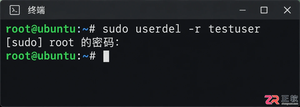
掌握Linux中删除用户和用户组的正确方法,避免残留文件和进程冲突。本文深入解析userdel和groupdel命令的参数用法,提供处理“用户仍在使用”等常见错误的实战方案。


遇到CrossOver运行错误或需要更新版本时,如何彻底卸载旧版并干净重装?本教程详解macOS和Linux下的卸载步骤、残留文件清理方法及官方下载渠道,确保软件环境纯净稳定。




AirBuddy 3 是面向 macOS 的蓝牙外设增强工具,可集中查看 AirPods、Beats 与苹果设备电量,提供快速连接、播放控制、电量提醒、桌面小组件和多台 Mac 外设接力等功能。

AirServer macOS版可把 Mac 转换为无线投屏接收端,通过 AirPlay 或 Google Cast 接收手机、平板和电脑画面,并支持多设备同时连接、高清镜像及会话录制,适合家庭娱乐、课堂教学、会议演示和应用展示。

AnyDesk macOS版是一款适用于远程办公、设备维护和客户支持的远程桌面工具,可连接并操作异地计算机,支持文件传输、无人值守访问、会话权限控制及跨平台协作。

Fuzor Windows版是一套面向建筑、工程与施工团队的BIM/VDC平台,可汇集多来源模型和进度数据,完成实时可视化、4D施工推演、场地物流规划、问题检查、成果演示及团队协同。

Gety Windows版是一款本地AI文件搜索工具,可索引电脑中的文档和图片,通过全文搜索、语义检索与OCR快速定位内容,并提供原版式预览、筛选和AI工具连接功能。

iMazing Windows版是一款面向iPhone、iPad和iPod用户的本地设备管理工具,可在电脑上完成多版本备份、照片与音乐传输、信息导出、应用数据管理以及新旧设备迁移。


