

SpringBoot中构建生产级日志系统的优雅指南
基于SpringBoot构建生产级日志系统,需满足级别区分、性能优化、链路追踪、敏感信息脱敏、分类输出、JSON格式及环境差异化等需求。通过添加依赖、配置Logback异步输出、封装日志工具类及递归脱敏工具,实现高效规范的日志管理。
一、需求描述
在实际开发中,日志系统需要满足哪些需求?下面这些点基本是绕不开的:

- 区分日志级别:DEBUG/INFO/WARN/ERROR 各司其职,别混为一谈
- 性能友好:避免日志序列化带来的额外开销,同时支持异步输出
- 链路追踪:一次请求能全链路追踪,依赖一个 RequestId 就能串起来
- 敏感信息脱敏:手机号、身份证这类敏感数据得自动打码
- 日志分类:业务日志、错误日志、慢 SQL 日志最好分开存储,方便排查
- 输出规范:JSON 格式是标配,便于接入 ELK 做采集和分析
- 开发/生产环境差异化:开发环境直接输出到控制台,生产环境则落地到文件
这些需求看似琐碎,但落到工程实践里,就是一套完整的体系。接下来咱们逐步拆解,看看代码怎么落地。
二、详细步骤与代码实现
1. 添加依赖
先把基础依赖加进来。别小看这一步,少了 disruptor,异步日志的性能提升就大打折扣了。
        org.springframework.boot
        spring-boot-starter-web


        com.lmax
        disruptor
        3.4.4


        org.springframework.cloud
        spring-cloud-starter-sleuth
        3.1.5


        org.projectlombok
        lombok
        true
2. 配置文件(application.yml)
配置里除了常规的日志级别和路径,还特意定义了一个自定义的敏感字段列表,方便脱敏时动态扩展。
# application.yml
spring:
  application:
    name: demo-service
  # 链路追踪配置
  sleuth:
    web:
      enabled: true
    sampler:
      probability: 1.0  # 生产环境建议0.1
# 日志配置
logging:
  # 日志文件路径
  file:
    path: ./logs
    name: ${logging.file.path}/${spring.application.name}.log
  # 日志级别
  level:
    root: INFO
    com.example: DEBUG
    org.springframework.web: INFO
    org.hibernate: WARN
  # 日志格式
  pattern:
    console: "%clr(%d{yyyy-MM-dd HH:mm:ss.SSS}){faint} %clr(%5p) %clr(${PID:- }){magenta} %clr(---){faint} %clr([%15.15t]){faint} %clr(%-40.40logger{39}){cyan} %clr(:){faint} %m%n%wEx"
    file: "%d{yyyy-MM-dd HH:mm:ss.SSS} %5p ${PID:- } --- [%t] %-40.40logger{39} : %m%n%wEx"
# 自定义日志配置
log:
  # 敏感字段列表
  sensitive-fields:
    - password
    - oldPassword
    - newPassword
    - idCard
    - phone
    - bankCard
    - token
    - secret
3. Logback配置(logback-spring.xml)
Logback 的配置是核心。这里我们做了几件事:彩色控制台输出、普通日志文件、错误日志单独文件、业务日志独立文件,并且全部接入了异步输出(AsyncAppender)。注意那个 JSON 日志格式,直接给 ELK 用的。
            ${CONSOLE_LOG_PATTERN}
            UTF-8


        0
        1024


        ${LOG_PATH}/${APP_NAME}.log

            ${LOG_PATH}/${APP_NAME}.%d{yyyy-MM-dd}.log
            30
            10GB


            ${FILE_LOG_PATTERN}
            UTF-8


        ${LOG_PATH}/${APP_NAME}-error.log

            ERROR


            ${LOG_PATH}/${APP_NAME}-error.%d{yyyy-MM-dd}.log
            90


            ${FILE_LOG_PATTERN}
            UTF-8


        ${LOG_PATH}/biz.log

            ${LOG_PATH}/biz.%d{yyyy-MM-dd}.log
            30


            ${FILE_LOG_PATTERN}


        2048
        0
        true


        1024


        1024
4. 日志工具类封装
写一个 LogUtil 工具类,把常见的日志场景封装起来:获取 TraceId、记录业务日志、接口耗时、方法耗时。这样业务代码里只需要一行调用,非常清爽。
package com.example.log.util;

import lombok.extern.slf4j.Slf4j;
import org.slf4j.Logger;
import org.slf4j.LoggerFactory;
import org.springframework.stereotype.Component;
import org.springframework.web.context.request.RequestContextHolder;
import org.springframework.web.context.request.ServletRequestAttributes;

import ja vax.servlet.http.HttpServletRequest;
import ja va.util.UUID;

/**
 * 日志工具类
 */
@Slf4j
@Component
public class LogUtil {

    // 业务日志专用Logger
    private static final Logger BIZ_LOGGER = LoggerFactory.getLogger("BIZ_LOGGER");

    /**
     * 获取当前请求的TraceId
     */
    public static String getTraceId() {
        try {
            ServletRequestAttributes attributes = (ServletRequestAttributes) RequestContextHolder.getRequestAttributes();
            if (attributes != null) {
                HttpServletRequest request = attributes.getRequest();
                String traceId = request.getHeader("X-Trace-Id");
                if (traceId == null || traceId.isEmpty()) {
                    traceId = UUID.randomUUID().toString().replace("-", "");
                }
                return traceId;
            }
        } catch (Exception e) {
            log.warn("获取TraceId失败", e);
        }
        return UUID.randomUUID().toString().replace("-", "");
    }

    /**
     * 业务日志(关键操作记录)
     */
    public static void bizLog(String operation, String userId, Object... params) {
        String traceId = getTraceId();
        String message = String.format("[BIZ][%s][%s][%s] params: %s",
            traceId, operation, userId, params);
        BIZ_LOGGER.info(message);
    }

    /**
     * 接口调用日志(简洁版)
     */
    public static void apiLog(String apiName, long costTime, Object request, Object response) {
        if (costTime > 3000) {
            // 慢接口使用WARN级别
            log.warn("[API][{}] cost: {}ms, request: {}, response: {}",
                apiName, costTime, request, response);
        } else {
            log.info("[API][{}] cost: {}ms", apiName, costTime);
        }
    }

    /**
     * 方法调用日志(带耗时)
     */
    public static void methodLog(String methodName, long startTime) {
        long cost = System.currentTimeMillis() - startTime;
        if (cost > 1000) {
            log.warn("[METHOD][{}] cost: {}ms", methodName, cost);
        } else {
            log.debug("[METHOD][{}] cost: {}ms", methodName, cost);
        }
    }
}
5. 敏感信息脱敏工具
脱敏是合规的硬要求。这里实现了一个递归脱敏工具,能处理 Map、List 嵌套,还能自动识别手机号、身份证等字符串格式并打码。
package com.example.log.util;
import com.fasterxml.jackson.core.JsonProcessingException;
import com.fasterxml.jackson.databind.ObjectMapper;
import com.fasterxml.jackson.databind.SerializationFeature;
import lombok.extern.slf4j.Slf4j;
import org.springframework.beans.factory.annotation.Value;
import org.springframework.stereotype.Component;
import ja vax.annotation.PostConstruct;
import ja va.util.*;
import ja va.util.regex.Pattern;
/**
* 日志脱敏工具
*/
@Slf4j
@Component
public class DesensitizationUtil {
@Value("${log.sensitive-fields:}")
private List sensitiveFields;
private static final Set SENSITIVE_FIELDS = new HashSet<>(Arrays.asList(
"password", "oldPassword", "newPassword", "idCard", "phone",
"bankCard", "token", "secret", "authorization"
));
private static final Pattern PHONE_PATTERN = Pattern.compile("(\\d{3})\\d{4}(\\d{4})");
private static final Pattern ID_CARD_PATTERN = Pattern.compile("(\\d{4})\\d{10}(\\d{4})");
private static final Pattern BANK_CARD_PATTERN = Pattern.compile("(\\d{4})\\d{10,12}(\\d{4})");
private ObjectMapper objectMapper;
@PostConstruct
public void init() {
this.objectMapper = new ObjectMapper();
this.objectMapper.enable(SerializationFeature.INDENT_OUTPUT);
if (sensitiveFields != null) {
SENSITIVE_FIELDS.addAll(sensitiveFields);
}
}
/**
* 对象脱敏(JSON序列化前处理)
*/
public String toJsonWithDesensitization(Object obj) {
try {
if (obj == null) {
return "null";
}
Object desensitized = desensitize(obj);
return objectMapper.writeValueAsString(desensitized);
} catch (JsonProcessingException e) {
log.error("JSON序列化失败", e);
return obj != null ? obj.toString() : "null";
}
}
/**
* 递归脱敏
*/
@SuppressWarnings("unchecked")
private Object desensitize(Object obj) {
if (obj == null) {
return null;
}
if (obj instanceof Map) {
Map map = (Map) obj;
Map result = new HashMap<>();
for (Map.Entry entry : map.entrySet()) {
String key = entry.getKey();
Object value = entry.getValue();
if (SENSITIVE_FIELDS.contains(key.toLowerCase())) {
result.put(key, "***");
} else {
result.put(key, desensitize(value));
}
}
return result;
}
if (obj instanceof List) {
List
6. 全局日志拦截器(AOP实现)
AOP 切面是自动记录接口日志的好帮手。这里对所有 Controller 的方法做了环绕通知,自动记录请求参数、响应结果和耗时,所有输出都经过脱敏处理。慢请求还会单独告警。
package com.example.log.aspect;

import com.example.log.util.DesensitizationUtil;
import com.example.log.util.LogUtil;
import lombok.extern.slf4j.Slf4j;
import org.aspectj.lang.ProceedingJoinPoint;
import org.aspectj.lang.annotation.Around;
import org.aspectj.lang.annotation.Aspect;
import org.aspectj.lang.annotation.Pointcut;
import org.aspectj.lang.reflect.MethodSignature;
import org.springframework.beans.factory.annotation.Autowired;
import org.springframework.stereotype.Component;
import org.springframework.web.context.request.RequestContextHolder;
import org.springframework.web.context.request.ServletRequestAttributes;

import ja vax.servlet.http.HttpServletRequest;
import ja va.lang.reflect.Method;
import ja va.util.Arrays;
import ja va.util.stream.Collectors;

/**
 * Controller层日志切面
 */
@Slf4j
@Aspect
@Component
public class ControllerLogAspect {

    @Autowired
    private DesensitizationUtil desensitizationUtil;

    // 定义切点:所有Controller类下的方法
    @Pointcut("execution(* com.example..controller.*.*(..))")
    public void controllerPointcut() {}

    @Around("controllerPointcut()")
    public Object around(ProceedingJoinPoint joinPoint) throws Throwable {
        long startTime = System.currentTimeMillis();

        // 获取请求信息
        ServletRequestAttributes attributes = (ServletRequestAttributes) RequestContextHolder.getRequestAttributes();
        HttpServletRequest request = attributes != null ? attributes.getRequest() : null;

        // 获取方法信息
        MethodSignature signature = (MethodSignature) joinPoint.getSignature();
        Method method = signature.getMethod();
        String className = joinPoint.getTarget().getClass().getSimpleName();
        String methodName = method.getName();

        // 获取参数(脱敏处理)
        Object[] args = joinPoint.getArgs();
        String params = "";
        if (args != null && args.length > 0) {
            params = Arrays.stream(args)
                .map(arg -> desensitizationUtil.toJsonWithDesensitization(arg))
                .collect(Collectors.joining(", "));
        }

        // 请求信息日志
        if (request != null) {
            log.info("【请求开始】{} {} | 参数: {}",
                request.getMethod(), request.getRequestURI(), params);
        } else {
            log.info("【方法调用】{}.{} 参数: {}", className, methodName, params);
        }

        Object result = null;
        try {
            result = joinPoint.proceed();
            long costTime = System.currentTimeMillis() - startTime;

            // 响应日志(脱敏处理)
            String responseJson = desensitizationUtil.toJsonWithDesensitization(result);
            log.info("【请求结束】{}.{} 耗时: {}ms | 响应: {}",
                className, methodName, costTime, responseJson);

            // 慢请求告警
            if (costTime > 3000) {
                log.warn("【慢请求】{}.{} 耗时: {}ms", className, methodName, costTime);
            }

            return result;
        } catch (Exception e) {
            long costTime = System.currentTimeMillis() - startTime;
            log.error("【请求异常】{}.{} 耗时: {}ms 异常: {}",
                className, methodName, costTime, e.getMessage(), e);
            throw e;
        }
    }
}
7. MDC链路追踪过滤器
链路追踪的核心是 MDC。通过一个 Filter 把 traceId 塞进 MDC,然后在日志模板里用 %X{traceId} 就能自动打印出来,这样全链路的日志就串起来了。
package com.example.log.filter;

import lombok.extern.slf4j.Slf4j;
import org.slf4j.MDC;
import org.springframework.core.annotation.Order;
import org.springframework.stereotype.Component;

import ja vax.servlet.*;
import ja vax.servlet.http.HttpServletRequest;
import ja va.io.IOException;
import ja va.util.UUID;

/**
 * MDC过滤器:实现全链路追踪
 */
@Slf4j
@Component
@Order(1)
public class TraceIdFilter implements Filter {

    private static final String TRACE_ID = "traceId";

    @Override
    public void doFilter(ServletRequest request, ServletResponse response, FilterChain chain)
            throws IOException, ServletException {

        HttpServletRequest httpRequest = (HttpServletRequest) request;
        String traceId = httpRequest.getHeader("X-Trace-Id");

        if (traceId == null || traceId.isEmpty()) {
            traceId = UUID.randomUUID().toString().replace("-", "");
        }

        try {
            // 将traceId放入MDC,日志模板中可通过%X{traceId}引用
            MDC.put(TRACE_ID, traceId);
            MDC.put("clientIp", getClientIp(httpRequest));

            chain.doFilter(request, response);
        } finally {
            // 清理MDC,避免内存泄漏
            MDC.clear();
        }
    }

    private String getClientIp(HttpServletRequest request) {
        String ip = request.getHeader("X-Forwarded-For");
        if (ip == null || ip.isEmpty()) {
            ip = request.getRemoteAddr();
        }
        return ip != null ? ip.split(",")[0].trim() : "unknown";
    }
}
8. 业务中使用示例
看看实际业务代码里怎么用。一个登录接口,既用了 Lombok 的 @Slf4j 记录常规日志,又调用了 LogUtil.bizLog 记录业务操作,还通过 LogUtil.methodLog 统计了方法耗时。注意,UserUpdateRequest 里的 password 字段会被自动脱敏,无需手动处理。
package com.example.demo.controller;

import com.example.demo.service.UserService;
import com.example.log.util.LogUtil;
import lombok.RequiredArgsConstructor;
import lombok.extern.slf4j.Slf4j;
import org.springframework.web.bind.annotation.*;

import ja vax.validation.Valid;
import ja va.util.HashMap;
import ja va.util.Map;

@Slf4j
@RestController
@RequestMapping("/api/user")
@RequiredArgsConstructor
public class UserController {

    private final UserService userService;

    @PostMapping("/login")
    public Map login(@RequestBody @Valid LoginRequest request) {
        // 使用Lombok的@Slf4j
        log.info("用户登录请求: username={}", request.getUsername());

        long startTime = System.currentTimeMillis();
        try {
            UserVO user = userService.login(request);

            // 记录业务日志
            LogUtil.bizLog("用户登录", user.getId(), "login", request.getUsername());

            // 记录方法耗时
            LogUtil.methodLog("login", startTime);

            return Map.of("success", true, "data", user);
        } catch (Exception e) {
            log.error("用户登录失败: username={}, error={}", request.getUsername(), e.getMessage(), e);
            throw e;
        }
    }

    @PostMapping("/update")
    public Map updateUser(@RequestBody UserUpdateRequest request) {
        // 这里password字段会被自动脱敏
        log.info("更新用户信息: {}", request);

        userService.updateUser(request);
        return Map.of("success", true);
    }
}

// 请求对象示例
@Data
class LoginRequest {
    private String username;
    private String password;  // 会被脱敏
}

@Data
class UserUpdateRequest {
    private String userId;
    private String phone;
    private String idCard;
    private String password;
}
9. 异常统一处理中的日志
全局异常处理里,业务异常只记 WARN 级别,系统异常才记 ERROR 且带堆栈。这样告警阈值才能设得准,不会因为业务异常就炸锅。
package com.example.demo.handler;

import lombok.extern.slf4j.Slf4j;
import org.springframework.web.bind.annotation.ExceptionHandler;
import org.springframework.web.bind.annotation.RestControllerAdvice;

@Slf4j
@RestControllerAdvice
public class GlobalExceptionHandler {

    @ExceptionHandler(BusinessException.class)
    public Result handleBusinessException(BusinessException e) {
        // 业务异常:记录WARN级别即可
        log.warn("业务异常: code={}, message={}", e.getCode(), e.getMessage());
        return Result.error(e.getCode(), e.getMessage());
    }

    @ExceptionHandler(Exception.class)
    public Result handleException(Exception e) {
        // 系统异常:记录ERROR级别,包含堆栈
        log.error("系统异常", e);
        return Result.error(500, "系统繁忙,请稍后重试");
    }
}
三、总结
最佳实践总结
| 原则 | 说明 | 示例 |
|---|---|---|
| 级别正确 | DEBUG调试、INFO业务流程、WARN异常可恢复、ERROR系统错误 | 循环内用DEBUG,关键节点用INFO |
| 参数占位 | 使用{}占位符,避免字符串拼接 | log.info("user: {}", user) |
| 异常记录 | 必须传入异常对象,输出堆栈 | log.error("错误", e) |
| 异步输出 | 生产环境必须配置AsyncAppender | 使用Disruptor提升性能 |
| 链路追踪 | 使用MDC传递traceId | 全链路可追踪 |
| 敏感脱敏 | 密码、手机号等必须脱敏 | 实现自定义脱敏工具 |
| 日志开关 | 使用isDebugEnabled()避免无效序列化 | if(log.isDebugEnabled()){...} |
| 合理采样 | 高频日志需采样 | 1%或千分之一 |
性能优化要点
- 异步日志:AsyncAppender + Disruptor,QPS提升5-10倍
- 条件日志:使用
log.isDebugEnabled()避免参数计算 - 合理级别:生产环境建议INFO,DEBUG仅开发/测试环境
- 避免打印大对象:大List/大JSON需要截断或只打印长度
监控告警建议
- ERROR日志数量突增 → 钉钉/企微告警
- 慢请求日志(>3s) → 性能监控
- 特定业务日志(登录失败频繁) → 安全告警
日志规范Checklist
- 禁止使用
System.out.println() - 禁止打印密码、token等敏感信息
- 日志消息清晰,包含关键业务标识(userId、orderId)
- 异常日志必须包含堆栈信息
- 关键业务操作必须有业务日志
- 日志文件配置滚动策略和保留时长(建议30天)
- 生产环境关闭DEBUG日志
通过以上方案,可以实现生产级的日志系统,既保证性能又便于问题排查和监控告警。
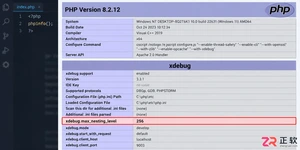
遇到PHP递归报错时,不要盲目调大max_nesting_level。本文教你区分Xdebug限制、内存耗尽和正则递归错误,提供代码级的终止条件优化与迭代替代方案,彻底解决栈溢出问题。
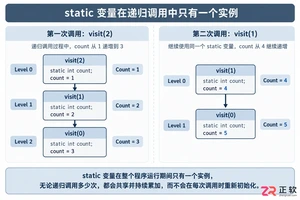
本文分析PHP递归中static变量导致的状态污染及引用传递引发的共享数据修改问题。提供具体的代码复现、缓存键设计建议及调试打印技巧,帮助开发者避免隐蔽的逻辑错误。
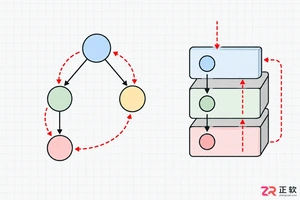
解析PHP递归函数在树形数据处理中的性能瓶颈,提供预加载数据消除I/O、使用显式栈替代深层递归的实战方案,帮助开发者在代码可读性与执行效率间做出合理取舍。
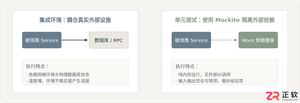
详细讲解在Java单元测试中如何使用Mockito模拟依赖对象,包括引入依赖、创建Mock、打桩返回值、行为验证以及Mock与Spy的核心差异和常见陷阱排查。

详细分析链表删除节点的时间复杂度,深入探讨单链表与双向链表在不同已知前提下的查找与删除开销,并结合完整代码与清晰图解进行对比总结。

想知道如何让AI写出的代码更贴合你的习惯?本文手把手教你在VS Code中调整Codex相关模型参数,通过修改配置文件优化温度值和令牌限制,解决代码建议不准确或响应慢的问题。

通过实测展示Claude Code在终端中如何理解自然语言指令、自动修改代码文件并处理复杂编程任务,帮助开发者评估其实际辅助能力。

本教程详细讲解如何使用Visual Studio创建WinForms项目,通过添加按钮和标签控件并编写点击事件代码,实现一个基础的计数器功能,适合C#初学者快速上手Windows窗体应用开发。

详解Cursor编辑器中自动补全功能的开启与优化设置,涵盖Tab触发机制、上下文窗口调整及模型切换,帮助开发者解决补全延迟、干扰大等问题,提升编码流畅度。

详解Pandas中数据格式转换的核心方法,包括astype强制转换、to_numeric容错处理及日期解析技巧,解决常见类型错误并提升数据处理效率。




Photoshop 2026 是 Adobe 推出的专业图像处理与视觉设计软件,支持 Windows、macOS 和 iPad 等平台,广泛应用于摄影修图、电商设计、平面海报、数字绘画及视觉合成等创作场景。

Blender 是一款免费开源、跨平台的专业 3D 创作软件,集建模、动画、渲染、视频编辑与视觉合成等功能于一体,广泛应用于影视动画、游戏设计和建筑可视化等领域。软件支持 Cycles 物理渲染器与 Eevee 实时渲染引擎,并提供多边形建模、骨骼绑定、物理模拟等专业工具。Blender 兼容 Windows、macOS 和 Linux 系统,安装包轻巧、运行流畅,依托活跃的全球开发者社区持续更新,是从初学者到专业创作者都值得选择的正版 3D 创作工具。


Photoshop 2026 是 Adobe 推出的专业图像处理与视觉设计软件,支持 Windows、macOS 和 iPad 等平台,广泛应用于摄影修图、电商设计、平面海报、数字绘画及视觉合成等创作场景。
Blender 是一款免费开源、跨平台的专业 3D 创作软件,集建模、动画、渲染、视频编辑与视觉合成等功能于一体,广泛应用于影视动画、游戏设计和建筑可视化等领域。软件支持 Cycles 物理渲染器与 Eevee 实时渲染引擎,并提供多边形建模、骨骼绑定、物理模拟等专业工具。Blender 兼容 Windows、macOS 和 Linux 系统,安装包轻巧、运行流畅,依托活跃的全球开发者社区持续更新,是从初学者到专业创作者都值得选择的正版 3D 创作工具。