

Golang如何在Linux上进行数据加密解密
在Linux环境下,利用Golang标准库crypto和crypto/cipher可简便实现AES加密解密。示例采用CBC模式,密钥长度需为16、24或32字节,对应AES-128、192或256。加密结果输出base64字符串,解密还原原文。实际应用需加强密钥管理与安全防护,并注意随机IV与数据填充,推荐采用AES-256。
在Golang中实现数据加密解密,其实远比想象中简单。尤其是在Linux环境下,标准库crypto和crypto/cipher已经提供了足够完善的工具。下面这个示例,就展示了如何用AES加密算法对数据进行加解密——整个过程清晰、直接,适合作为入门参考。
先确保你已经安装了Go语言环境。然后创建一个main.go文件,把下面的代码粘贴进去:
package main

import (
    "crypto/aes"
    "crypto/cipher"
    "crypto/rand"
    "encoding/base64"
    "fmt"
    "io"
)

func main() {
    key := []byte("your-secret-key-123") // 密钥长度必须为16、24或32字节
    plaintext := "Hello, World!"

    encryptedData, err := encrypt(plaintext, key)
    if err != nil {
        panic(err)
    }
    fmt.Printf("Encrypted data: %s\n", encryptedData)

    decryptedData, err := decrypt(encryptedData, key)
    if err != nil {
        panic(err)
    }
    fmt.Printf("Decrypted data: %s\n", decryptedData)
}

func encrypt(plaintext string, key []byte) (string, error) {
    block, err := aes.NewCipher(key)
    if err != nil {
        return "", err
    }

    plaintextBytes := []byte(plaintext)
    padding := aes.BlockSize - len(plaintextBytes)%aes.BlockSize
    padtext := bytes.Repeat([]byte{byte(padding)}, padding)

    ciphertext := make([]byte, len(plaintextBytes)+padding)
    iv := make([]byte, aes.BlockSize)
    if _, err := io.ReadFull(rand.Reader, iv); err != nil {
        return "", err
    }

    mode := cipher.NewCBCEncrypter(block, iv)
    mode.CryptBlocks(ciphertext, append(iv, plaintextBytes...))

    return base64.StdEncoding.EncodeToString(ciphertext), nil
}

func decrypt(ciphertext string, key []byte) (string, error) {
    ciphertextBytes, err := base64.StdEncoding.DecodeString(ciphertext)
    if err != nil {
        return "", err
    }

    block, err := aes.NewCipher(key)
    if err != nil {
        return "", err
    }

    if len(ciphertextBytes) < aes.BlockSize {
        return "", fmt.Errorf("ciphertext too short")
    }

    iv := ciphertextBytes[:aes.BlockSize]
    ciphertextBytes = ciphertextBytes[aes.BlockSize:]

    mode := cipher.NewCBCDecrypter(block, iv)
    mode.CryptBlocks(ciphertextBytes, ciphertextBytes)

    padding := int(ciphertextBytes[len(ciphertextBytes)-1])
    ciphertextBytes = ciphertextBytes[:len(ciphertextBytes)-padding]

    return string(ciphertextBytes), nil
}
这段代码使用了AES的CBC模式。密钥部分需要替换成你自己的密钥——注意长度必须是16、24或32字节,分别对应AES-128、AES-192和AES-256。如果你选择了“your-secret-key-123”这个示例密钥,它刚好是16字节,属于AES-128。
运行起来很简单,在终端执行:
go run main.go你会看到加密后的base64字符串和解密后的原文。当然,这只是一个演示示例,实际生产环境中还需要考虑更完善的错误处理、密钥管理以及安全性检查。不过作为入门,它已经足够帮你理解Golang加密解密的基本流程了。
新手入门 ServBay 本地开发环境,详解安装包下载、Dashboard 状态监控、Packages 组件安装、Services 服务控制及 Websites 项目配置。掌握 .servbay.config 版本管理与日志排查技巧,快速搭建稳定的 PHP、Node.js 等多语言开发环境。
详解 CodeKit 在 macOS 下的安装步骤、项目导入方法、Sass与JavaScript编译设置及浏览器自动刷新功能,助您快速搭建高效的前端开发环境。
详解Windows环境下安装OpenAI Codex CLI的步骤,包括WSL环境检查、Node.js/npm配置、npm全局安装命令及首次启动验证,适合开发者快速上手。
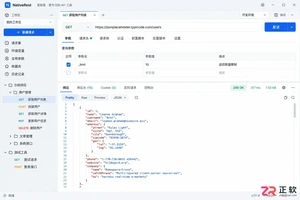
学习如何配置 NativeRest REST API 客户端。涵盖 Windows/macOS/Linux 安装后的工作区创建、环境变量管理、请求编辑及响应查看步骤,帮助开发者快速完成基础环境搭建与连通性测试。
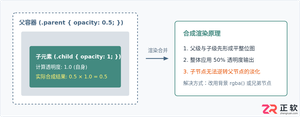
深入解析CSS中设置透明度的核心属性opacity,剖析子元素继承、事件穿透、层叠上下文等关键注意事项,并提供与rgba、hsla的实用选型对比。

本文通过具体的旧版与新版代码对比,详细剖析Java 8引入的Lambda表达式、Java 14/16引入的Record类,以及Java 12至21逐步演进完善的Switch表达式与模式匹配,展示代码简化路径与避坑要点。
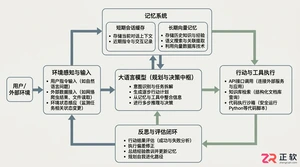
系统梳理AI智能体开发培训的核心知识模块、技术栈选型与典型实战项目,解析低代码平台与纯代码框架的差异,提供从零构建可落地智能体的完整学习与实施路径。
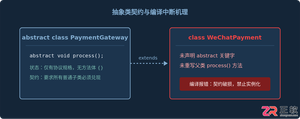
针对Java开发中常见的“子类未实现抽象方法”编译错误,深入分析报错原因,提供重写实现、声明抽象子类两种标准修复路径,并总结参数签名、访问修饰符等典型避坑要点。
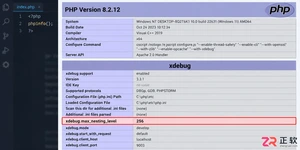
遇到PHP递归报错时,不要盲目调大max_nesting_level。本文教你区分Xdebug限制、内存耗尽和正则递归错误,提供代码级的终止条件优化与迭代替代方案,彻底解决栈溢出问题。



Shapr3D是一款面向工业设计、机械工程、建筑概念和三维打印工作流的CAD软件。Mac版采用Parasolid建模内核,支持草图约束、实体建模、工程图、可视化渲染及常见CAD格式交换,并可通过账户在多台设备之间同步项目。
REAPER是Cockos开发的数字音频工作站,提供多轨音频与MIDI录制、剪辑、处理、混音和母带制作工具。Mac版兼容Intel与Apple芯片,支持AU、VST、VST3、CLAP等插件格式,并提供高度可定制的工作流程。

Ableton Live 是面向音乐制作人与现场表演者的数字音频工作站,提供编曲视图、独具特色的现场视图、音频录制、MIDI创作、实时变速、乐器及效果器。Mac版原生支持Apple芯片,并可连接音频接口、MIDI控制器和第三方插件。


Photoshop 2026 是 Adobe 推出的专业图像处理与视觉设计软件,支持 Windows、macOS 和 iPad 等平台,广泛应用于摄影修图、电商设计、平面海报、数字绘画及视觉合成等创作场景。

Blender 是一款免费开源、跨平台的专业 3D 创作软件,集建模、动画、渲染、视频编辑与视觉合成等功能于一体,广泛应用于影视动画、游戏设计和建筑可视化等领域。软件支持 Cycles 物理渲染器与 Eevee 实时渲染引擎,并提供多边形建模、骨骼绑定、物理模拟等专业工具。Blender 兼容 Windows、macOS 和 Linux 系统,安装包轻巧、运行流畅,依托活跃的全球开发者社区持续更新,是从初学者到专业创作者都值得选择的正版 3D 创作工具。