

Java如何设置httponly cookie
Httponlycookie是一种cookie安全解决方案。在支持httponlycookie的浏览器(IE6+、FF3.0+)中,如果cookie中设置了“httponly”属性,则JavaScript脚本将无法读取cookie信息,可以有效防止XSS攻击,让网站应用更安全。但是J2EE4、J2EE5cookie不提供设置httponly属性的方法,所以如果需要设置httponly属性需要自己处理。importjavax.servlet.http.Cookie;importjavax.servlet.h
Httponly cookie 是一种 cookie 安全解决方案。
在支持httponly cookie的浏览器(IE6+、FF3.0+)中,如果cookie中设置了“httponly”属性,则JavaScript脚本将无法读取cookie信息,可以有效防止XSS攻击,让网站应用更安全。
但是J2EE4、J2EE5 cookie不提供设置httponly属性的方法,所以如果需要设置httponly属性需要自己处理。
import javax.servlet.http.Cookie;
import javax.servlet.http.HttpServletResponse;

/**
 * Cookie Tools
 */
public class CookieUtil {

    /**
           * Set httponly cookie
     * @param  Response HTTP response
     * @param  Cookie cookie object
     * @param  Ishttponly is httponly
     */
    public static void addCookie(HttpServletResponse response, Cookie cookie, boolean isHttpOnly) {
        String name = cookie.getName();//Cookie name
        String value = cookie.getValue();//Cookie value
        int maxAge = cookie.getMaxAge();//Maximum survival time (milliseconds, 0 representative deletion, -1 represents the same as the browser session)
        String path = cookie.getPath();//path
        String domain = cookie.getDomain();//area
        boolean isSecure = cookie.getSecure();//Is there a security protocol?

        StringBuilder buffer = new StringBuilder();

        buffer.append(name).append("=").append(value).append(";");

        if (maxAge == 0) {
            buffer.append("Expires=Thu Jan 01 08:00:00 CST 1970;");
        } else if (maxAge > 0) {
            buffer.append("Max-Age=").append(maxAge).append(";");
        }

        if (domain != null) {
            buffer.append("domain=").append(domain).append(";");
        }

        if (path != null) {
            buffer.append("path=").append(path).append(";");
        }

        if (isSecure) {
            buffer.append("secure;");
        }

        if (isHttpOnly) {
            buffer.append("HTTPOnly;");
        }

        response.addHeader("Set-Cookie", buffer.toString());
    }

}
值得一提的是,Java Ee 6.0中的cookie已经设置了httponly,所以如果兼容Java EE 6.0兼容的容器(例如Tomcat 7),可以使用cookie.sethttponly设置HTTPONLY:
cookie.setHttpOnly(true);
Java HttpCookie 类的setHttpOnly(Boolean httpOnly) 方法用于指示cookie 是否可以被认为是HTTPOnly。如果设置为 true,则 cookie 不能被 JavaScript 等脚本引擎访问。
句法
public void setHttpOnly(boolean httpOnly)
范围
上述方法只需要一个参数:
httpOnly - 如果 cookie 仅是 HTTP,则表示 true,这意味着它作为 HTTP 请求的一部分可见。
返回
不适用
示例 1
import java.net.HttpCookie;
public class JavaHttpCookieSetHttpOnlyExample1 {
  public static void main(String[] args) {
    HttpCookie  cookie = new HttpCookie("Student", "1");
    // Indicate whether the cookie can be considered as HTTP Only or not.
        cookie.setHttpOnly(true);
    // Return true if the cookie is considered as HTTPOnly.
System.out.println("Check whether the cookie is HTTPOnly: "+cookie.isHttpOnly());
     }
 }
输出:
Check whether the cookie is HTTPOnly: true
示例 2
import java.net.HttpCookie;
public class JavaHttpCookieSetHttpOnlyExample2 {
    public static void main(String[] args) {
        HttpCookie  cookie = new HttpCookie("Student", "1");
        // Indicate whether the cookie can be considered as HTTP Only or not.
            cookie.setHttpOnly(false);
        // Return false if the cookie is not considered as HTTPOnly.
    System.out.println("Check whether the cookie is HTTPOnly: "+cookie.isHttpOnly());
   }
}
输出:
Check whether the cookie is HTTPOnly: false
示例 3
import java.net.HttpCookie;
public class JavaHttpCookieSetHttpOnlyExample3 {
    public static void main(String[] args) {
        HttpCookie cookie1 = new HttpCookie("Student1", "1");
        HttpCookie cookie2 = new HttpCookie("Student2", "2");
        //Indicate whether the cookie can be considered as HTTP Only or not.
        cookie1.setHttpOnly(true);
        cookie2.setHttpOnly(false);
        System.out.println("Check whether the first cookie is HTTPOnly:"+cookie1.isHttpOnly());
        System.out.println("Check whether the second cookie is HTTPOnly:"+cookie2.isHttpOnly());
       }
    }
输出:
Check whether the first cookie is HTTPOnly:true
Check whether the second cookie is HTTPOnly:false

详细分析链表删除节点的时间复杂度,深入探讨单链表与双向链表在不同已知前提下的查找与删除开销,并结合完整代码与清晰图解进行对比总结。

想知道如何让AI写出的代码更贴合你的习惯?本文手把手教你在VS Code中调整Codex相关模型参数,通过修改配置文件优化温度值和令牌限制,解决代码建议不准确或响应慢的问题。

通过实测展示Claude Code在终端中如何理解自然语言指令、自动修改代码文件并处理复杂编程任务,帮助开发者评估其实际辅助能力。

本教程详细讲解如何使用Visual Studio创建WinForms项目,通过添加按钮和标签控件并编写点击事件代码,实现一个基础的计数器功能,适合C#初学者快速上手Windows窗体应用开发。

详解Cursor编辑器中自动补全功能的开启与优化设置,涵盖Tab触发机制、上下文窗口调整及模型切换,帮助开发者解决补全延迟、干扰大等问题,提升编码流畅度。

详解Pandas中数据格式转换的核心方法,包括astype强制转换、to_numeric容错处理及日期解析技巧,解决常见类型错误并提升数据处理效率。

详细介绍在Visual Studio Code中安装Chinese (Simplified)语言包的方法,包括通过扩展市场搜索、安装及自动重启切换至简体中文界面的完整步骤,帮助开发者快速将编辑器本地化。

针对Cursor安装包默认锁定C盘且无路径选择界面的问题,提供通过手动移动文件并创建目录联结(Symbolic Link)的解决方案,实现将软件安装在其他磁盘分区。
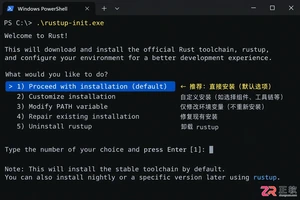
详解Windows系统下Rust语言的安装步骤,重点解析rustup工具链管理机制,解决环境变量配置错误及MSVC链接器缺失问题,提供可复制的命令验证方法与常见报错的因果排查思路。
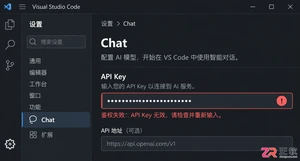
详解VS Code中Chat插件的安装与核心配置步骤,重点解决API连接失败、响应慢等常见问题,通过优化上下文设置提升代码生成质量,适合希望集成AI辅助工具的开发者阅读。




Blender 是一款免费开源、跨平台的专业 3D 创作软件,集建模、动画、渲染、视频编辑与视觉合成等功能于一体,广泛应用于影视动画、游戏设计和建筑可视化等领域。软件支持 Cycles 物理渲染器与 Eevee 实时渲染引擎,并提供多边形建模、骨骼绑定、物理模拟等专业工具。Blender 兼容 Windows、macOS 和 Linux 系统,安装包轻巧、运行流畅,依托活跃的全球开发者社区持续更新,是从初学者到专业创作者都值得选择的正版 3D 创作工具。


赤友清理大师是一款为 Mac 设计的智能清理优化工具,可精准扫描垃圾、大文件、重复文件等,释放磁盘空间。做扫描整理、文字提取和表格转换时,它能把识别后的处理步骤接得更顺,资料录入这类场景会省下不少时间。
Blender 是一款免费开源、跨平台的专业 3D 创作软件,集建模、动画、渲染、视频编辑与视觉合成等功能于一体,广泛应用于影视动画、游戏设计和建筑可视化等领域。软件支持 Cycles 物理渲染器与 Eevee 实时渲染引擎,并提供多边形建模、骨骼绑定、物理模拟等专业工具。Blender 兼容 Windows、macOS 和 Linux 系统,安装包轻巧、运行流畅,依托活跃的全球开发者社区持续更新,是从初学者到专业创作者都值得选择的正版 3D 创作工具。

Windows 10 是一款微软推出的经典操作系统,拥有硬件兼容性与多任务处理能力。它更偏向把系统状态查看和常用调节动作放在一起,适合需要持续观察和微调设备状态的场景。

极度公式是一款跨平台专业LaTeX公式识别编辑软件,支持OCR公式识别和多平台编辑。和使用说明,避免使用,享受完整功能与稳定支持。做扫描整理、文字提取和表格转换时,它能把识别后的处理步骤接得更顺,资料录入这类场景会省下不少时间。