

Python-docx 设置页面尺寸的正确方式
在python-docx中,section.page_width和section.page_height是可读写属性(而非方法),错误地将其当作函数调用(如section.page_width(Inches(5)))会导致'Twips'objectisnotcallable异常。

在 python-docx 中,设置页面宽度和高度时,`section.page_width` 和 `section.page_height` 是可读写属性(而非方法),错误地将其当作函数调用(如 `section.page_width(Inches(5))`)会导致 `'Twips' object is not callable` 异常。
python-docx 的 Section 对象中,page_width、page_height、left_margin、right_margin 等页面布局相关字段均为属性(property),其底层类型为 Twips(以二十分之一磅为单位的整数),但对外暴露为支持 Inches、Cm、Pt 等 Length 类型的可赋值属性。
✅ 正确用法是直接赋值:
from docx import Document
from docx.shared import Inches

doc = Document()
section = doc.sections[0]

# ✅ 正确:直接赋值(属性设置)
section.page_width = Inches(5)
section.page_height = Inches(5)
section.left_margin = Inches(0.75)
section.right_margin = Inches(0.75)
❌ 错误用法(引发 'Twips' object is not callable):
section.page_width(Inches(5))  # TypeError: 'Twips' object is not callable
section.page_height = Inches(5)  # ✅ 这行对,但上一行已破坏对象状态,可能导致后续异常
⚠️ 注意事项:
- Twips 是 python-docx 内部使用的不可变长度单位类,不可被调用(即不支持 () 操作符);
- 所有 section.*_margin、section.header_distance、section.footer_distance 等同理,均需用 = 赋值,而非函数调用;
- 若需批量设置页面布局,建议在获取 section 后统一赋值,避免中间状态不一致;
- 修改页面尺寸后,若文档已含内容,Word 应用程序会自动重排,但部分复杂格式(如分栏、文本框)可能需手动校验显示效果。
? 小技巧:可通过 print(type(section.page_width)) 验证其类型(输出
总结:牢记——python-docx 的页面布局参数是属性,不是方法。赋值即生效,无需括号调用。这是初学者高频踩坑点,修正后即可稳定控制文档版式。

详解如何在 Windows 电脑上通过 Microsoft Store 安装 Codex 桌面应用,包括启动登录、切换 Codex 模式、关联本地代码项目及终端环境配置的界面操作指引。
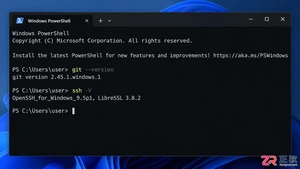
本文详解如何在Windows环境中使用PowerShell生成SSH密钥对,配置ssh-agent自动加载私钥,并将公钥安全添加至GitHub账户,最后通过git remote set-url切换为SSH地址,解决每次操作需输入账号密码的问题。
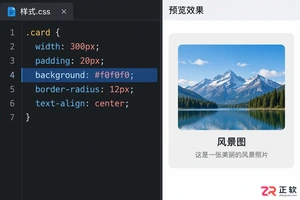
深入解析backdrop与background在网页开发及视觉设计中的区别。通过CSS代码示例,展示如何正确使用background设置元素背景,以及利用backdrop-filter创建弹窗遮罩模糊效果,避免概念混用。
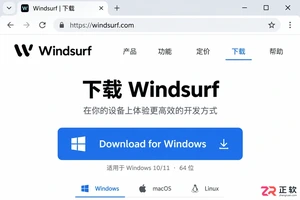
详解 Windsurf IDE 在 Windows 系统的下载来源、安装步骤及首次启动界面。指导用户如何导入编辑器设置、打开项目文件夹及使用终端与 AI 功能,适合初次接触该工具的开发者阅读。
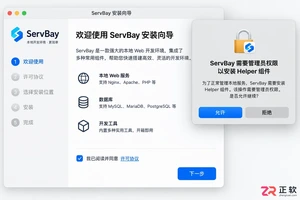
新手入门 ServBay 本地开发环境,详解安装包下载、Dashboard 状态监控、Packages 组件安装、Services 服务控制及 Websites 项目配置。掌握 .servbay.config 版本管理与日志排查技巧,快速搭建稳定的 PHP、Node.js 等多语言开发环境。
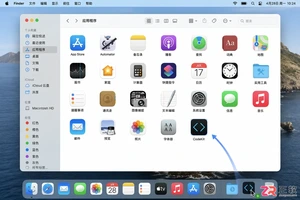
详解 CodeKit 在 macOS 下的安装步骤、项目导入方法、Sass与JavaScript编译设置及浏览器自动刷新功能,助您快速搭建高效的前端开发环境。
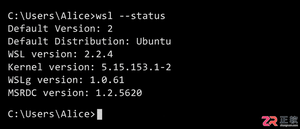
详解Windows环境下安装OpenAI Codex CLI的步骤,包括WSL环境检查、Node.js/npm配置、npm全局安装命令及首次启动验证,适合开发者快速上手。
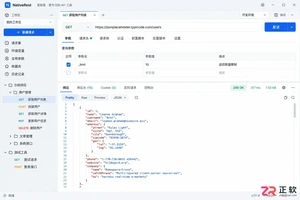
学习如何配置 NativeRest REST API 客户端。涵盖 Windows/macOS/Linux 安装后的工作区创建、环境变量管理、请求编辑及响应查看步骤,帮助开发者快速完成基础环境搭建与连通性测试。
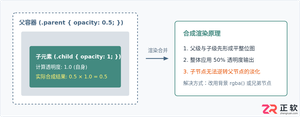
深入解析CSS中设置透明度的核心属性opacity,剖析子元素继承、事件穿透、层叠上下文等关键注意事项,并提供与rgba、hsla的实用选型对比。




WPS Office是一款面向macOS用户的综合办公套件,将文字处理、电子表格、演示文稿、PDF工具、模板与云协作整合在同一应用中。它兼容常见Microsoft Office格式,支持Intel及Apple芯片Mac,基础功能可免费使用,
Shapr3D是一款面向工业设计、机械工程、建筑概念和三维打印工作流的CAD软件。Mac版采用Parasolid建模内核,支持草图约束、实体建模、工程图、可视化渲染及常见CAD格式交换,并可通过账户在多台设备之间同步项目。

REAPER是Cockos开发的数字音频工作站,提供多轨音频与MIDI录制、剪辑、处理、混音和母带制作工具。Mac版兼容Intel与Apple芯片,支持AU、VST、VST3、CLAP等插件格式,并提供高度可定制的工作流程。

Adobe Photoshop 是面向摄影师、设计师和内容创作者的专业图像处理工具,可在 Windows 上完成照片修饰、选区抠图、图层合成、文字排版、绘画及生成式编辑。软件采用订阅授权,由 Creative Cloud 管理安装、更新与许

Adobe InDesign 是面向印刷与数字出版的专业页面排版工具,可制作书籍、杂志、宣传册、海报、交互式 PDF 和电子书。它提供精细的文字样式、多页面管理、印前检查及多格式输出能力,并能与 Photoshop、Illustrator

Adobe Illustrator 是用于绘制矢量图形、插画、图标、徽标和版式的专业设计工具。它以路径和锚点为核心,作品放大后仍能保持清晰,并提供画板、文字、渐变、图像描摹及精确变换等功能,适合品牌视觉、印刷物料、数字界面和商业插画创作。