

Fckeditor编辑器内容长度限制统计实现方法
利用FCKeditorAPI获取编辑器内容并检测字符数,通过监听OnSelectionChange事件实时限制输入字数,超出上限时给出提示。代码覆盖基本调用、字数检测与长度限制,含初始化编辑器、绑定事件、计算字数、超限截断或警告步骤,防过多输入,用于严格控文本长度场景。
先看最简单的编辑器代码,这个代码段相信多数开发者都见过,核心逻辑其实非常直接。
接下来是检测字数的功能,需要借助FCKeditorAPI来实现,代码也很直白:
function checklength()
{
var Content;
var oEditor = FCKeditorAPI.GetInstance('Content') ;
Content=oEditor.GetXHTML(true)
alert("n当前: "+Content.length+" 个字符");
return false;
}
再看一个实际限制编辑器内容长度的例子,通过监听OnSelectionChange事件,实时提醒用户输入情况:
window.onload=function(){
function FCKeditor_OnComplete()
{
var editor = FCKeditorAPI.GetInstance('info') ;
editor.Events.AttachEvent('OnSelectionChange', editor_keydown);
}
function editor_keydown(editor)
{
var maxLength=3; //最大输入字数
content= $(editor.EditorDocument.body).text();
var len= content.length;
var $info =$('#info');//存放提示信息
if(len < maxLength){
.text("还可以输入 "+(maxLength-len)+"字");
}
if(len == maxLength){
$info.text("字数达到上限");
}
if(len > maxLength){
$info.text(" 输入字符超过"+maxLength+"个,请更改!");
}
}
FCKeditor_OnComplete()
}
以上代码覆盖了FCKeditor的基本调用、字数检测以及长度限制,是实际开发中很实用的几个片段。
针对PHP环境下Fckeditor编辑器的图片上传配置,需修改config.php开启上传功能,配置上传路径,限制图片大小,解决文件名重名与中文乱码问题,并可通过添加水印保护版权。
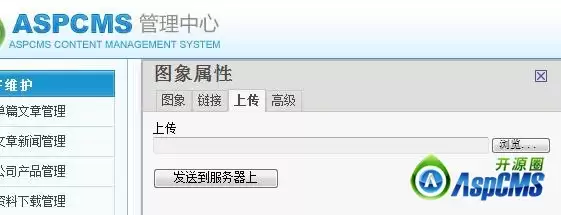
开启FCKeditor图片上传需修改config.js文件中的相关配置、复制filemanager文件夹到服务器,设置config.asp上传路径为"/uploads/",修改io.asp消除双斜杠错误,添加commands.asp实现自动重命名。另通过正则表达式解决邮件中图片路径显示问题,分别提供ASP与.NET两种解法。
IE9浏览器升级后不再支持var$=document.getElementById这种简写赋值,导致FCKeditor富文本编辑器中的弹出浮层功能失效,用户无法正常使用。解决此问题有两种常用方法:一是通过添加meta标签强制IE9以IE8兼容模式渲染页面,操作简单但可能影响其他高级特性;二是修改FCKeditor的JavaScript源文件,将其中的FCKT
针对FCKeditorASP版本,需在connector.asp和upload.asp中增加登录验证,防止未授权用户直接上传非法文件(如木马、病毒、脚本)。同时强烈建议将默认fckeditor目录重命名为不易猜测的复杂字符串,以阻断扫描攻击。两者配合可有效提升系统安全性,防止常见攻击。
IE9下FCKeditor弹出对话框无响应,因不支持var$=document.getElementById简写。修改fckeditor/editor/js/fckeditorcode_ie.js第38行RegisterDollarFunction函数,将赋值改为匿名函数即可解决。
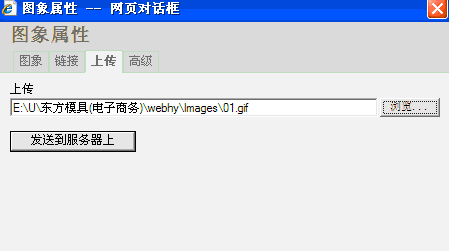
FCK编辑器上传图片显示叉叉,原因是配置文件中上传路径写错。部署到服务器需正确配置项目根目录下UserFiles文件夹路径;本地测试则需相应调整。确保路径一致并检查文件夹权限,图片才能正常显示。若仍不行,需检查服务器配置。
在图片服务器和后台服务器分别部署Fckeditor,通过修改BasePath指向远程资源、开启上传功能并利用子域跨域方案,实现将图片直接上传至独立图片服务器,返回相对路径,支持按模块区分存储位置。
通过修改插件文件中的代码,将直接赋值改用样式高度属性,同时启用插件并设置最大高度限制,即可实现FCKeditor编辑器高度随内容自动增长,并兼容IE和火狐浏览器。此方法简单易行,无需额外插件,有效提升编辑体验。
遇到FCKEditor里字段值显示异常的问题?先别急着翻文档,分享一个常见的坑——很多情况下,代码里可能误用了FCKTools.HTMLEncode,把原本需要原样输出的内容又编码了一遍。解决方案很简单:把FCK.LinkedField.value = FCKTools.HTMLEncode(FCK
在FCKeditor中添加自定义按钮需三步:在皮肤目录的图片文件底部添加16×16像素图标;修改两个核心JS文件,参考Newpage按钮添加功能代码,包括原型、实例化和显示;在语言包中添加对应名称属性。




Postman是一套面向API全生命周期的开发与测试平台,可在Mac上发送和调试多种协议请求,管理集合、环境及认证信息,并完成脚本测试、模拟服务、监控、文档发布和团队协作。它适合开发、测试及运维人员使用,提供个人免费方案。
Docker Desktop 是 Docker 官方为 Mac 提供的容器开发环境,集成 Docker Engine、命令行工具、Compose、Build、Kubernetes 与图形化管理界面。

Android Studio 是 Google 面向安卓应用开发提供的官方集成开发环境,基于 IntelliJ IDEA 构建。它整合智能代码编辑、Gradle 构建、界面预览、设备模拟、性能分析、调试测试及 APK 分析等工具。

PixPix 是面向品牌、卖家和内容团队的在线 AI 图片视频创作平台,提供图视频 Agent、无限画布、图片生成、视频生成、自然语言编辑及商品套图、产品精修和带货视频等电商工具。

Postman 是面向 API 全生命周期的开发与协作平台。Windows 桌面版可用于构建和发送 HTTP、GraphQL、gRPC、WebSocket、MQTT 等请求,并提供环境变量、集合、脚本测试、模拟服务、监控、文档及团队工作区等

Docker Desktop 为 Windows 开发者提供集成式容器环境,内置 Docker Engine、命令行工具、Compose、Build 与 Kubernetes 等组件,可在本机完成镜像构建、容器运行、日志查看和资源管理。