

el-table树形表格中复选框联动功能操作大全
在el-table树形表格中,实现复选框联动功能:父级选中或取消时,子级全部跟随,但子级状态变化不反向影响父级。通过为每个节点添加isCheck标识,利用@select和@select-all事件控制选中状态,并配合全局方法处理递归节点。
最终效果:
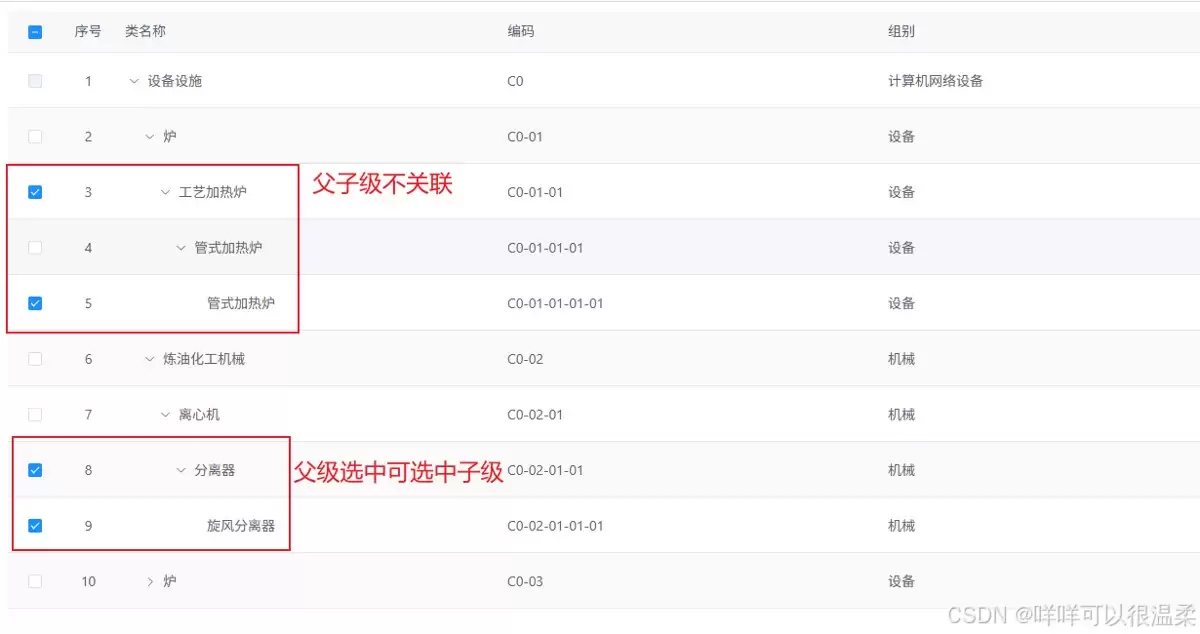
需求描述:
先说清楚两个核心需求点,这决定了后续实现的逻辑走向。
第一,父级复选框要能控制所有子级复选框。选中父级,子级全部跟着选中;取消父级,子级也全部取消。这个逻辑很直观,也好理解。
第二,反过来,子级复选框的状态变化不影响父级。也就是说,就算所有子级都选中了,父级也不会自动勾上;父级全选后,哪怕你把所有子级都取消勾选,父级的状态依然保持原样。这跟常见的父子联动逻辑不太一样,需要特别处理。
解决方法:
核心思路是给table列表数据加一个自定义标识(isCheck = false),通过复选框的点击事件来改变这个标识,再根据标识去控制复选框的实际选中状态。
先看基础代码结构,表格的配置没什么特别之处,关键点在于 @select 和 @select-all 两个事件。
1. 初始化表格数据,给每个节点都加上 isCheck 标识,默认为 false。
initCheckedBox() { const initList = function(data) { data.forEach(function(item) { item.isCheck = false // 未选中 if (item.children) { initList(item.children) } }) return data } this.rightCheckList = initList(this.tableList) },
2. 先看全选逻辑。当用户点击表头全选复选框时触发的事件。
// 当用户手动勾选全选 Checkbox 时触发的事件 selectAll(selection) { if (!this.checkAll) { this.checkAll = true this.isAllChecked(this.rightCheckList, true) } else { this.checkAll = false this.isAllChecked(this.rightCheckList, false) } const selectCheck = this.$getNodesIterative(this.rightCheckList, 'children', 'isCheck', true) this.selectedRows = selectCheck.map(item => item.id) }, // 是否全选中 isAllChecked(data, status) { if (data === undefined) { const imitData = [] imitData.push(data) } else { data.forEach(item => { item.isCheck = item.parentId === 0 ? false : status this.$refs.treeTable.toggleRowSelection(item, item.isCheck) if (item.children) { this.isAllChecked(item.children, status) } }) } },
注意:
checkAll默认值为 false。
3. 再来看行级别的选择逻辑。这部分的处理要复杂一些,因为要根据节点的层级关系做不同操作。
handleSelection(selection, row) { row.isCheck = !row.isCheck if(row.children.length === 0 && row.isCheck === true){ this.checkedParentRow(row, this.rightCheckList) } else if(row.children.length === 0 && row.isCheck === false){ this.clearParentRow(row, this.rightCheckList) } else if(row.children.length > 0 && row.isCheck === true){ this.isAllChecked(row.children, true) } else if(row.children.length > 0 && row.isCheck === false){ this.isAllChecked(row.children, false) } const selectCheck = this.$getNodesIterative(this.rightCheckList, 'children', 'isCheck', true) this.selectedRows = selectCheck.map(item => item.id) }, // 选中子节点默认选中父节点,暂时不用,这段与需求不同,可不写。 // 如果有这个需求可写,并取消if隐藏代码 checkedParentRow(data, obj) { for(var item in obj){ if(obj[item].id === data.parentId){ var every = obj[item].children.every(function(item) { return item.isCheck === true }) // if (every) { // obj[item].isCheck = true // this.$refs.treeTable.toggleRowSelection(obj[item], true) // } } } }, // 子节点都未被选中,父节点默认取消选中 clearParentRow(data, obj) { const parentRow = this.$findTreeObjById(obj, 'id', data.parentId) parentRow.isCheck = false this.$refs.treeTable.toggleRowSelection(parentRow, false) },
其中
this.$getNodesIterative和this.$findTreeObjById被封装成了全局方法,具体实现如下:
/** * * @param {Array} treeList 树形数据 * @param {string} targetType 树形数据中所查找的键值 * @param {string} target 树形数据中所查找的值 * @returns */export function findTreeObjById(treeList, targetType, target) { for (const item of treeList) { // 匹配当前节点 if (item[targetType] === target) return item; // 递归查找子节点 if (item.children && item.children.length > 0) { const res = findTreeObjById(item.children, targetType, target); if (res) return res; } } return null; // 无匹配}/** * 提取树形结构中所有type为true的节点(迭代版,避免栈溢出) * @param {Array} tree 树形结构数组 * @param {string} childrenKey 子节点字段名 * @param {string} key 判断键值 * @param flagValue 判断键值 * @returns {Array} 平级的符合条件的节点数组 */export function getNodesIterative(tree, childrenKey, key, flagValue) { const result = []; // 用栈存储待遍历的节点(初始为根节点数组) const stack = [...tree]; while (stack.length > 0) { const node = stack.pop(); // 栈顶取出节点(也可用shift()实现队列,效率略低) // 筛选type为true的节点 if (node[key] === flagValue) { result.push({ ...node }); } // 子节点入栈(继续遍历) if (Array.isArray(node[childrenKey])) { stack.push(...node[childrenKey]); } } return result;}export default { findTreeObjById, getNodesIterative}
总结:
这个功能在两个项目中都用到了,记录一下,顺便提醒自己:这段代码写了有两三年了,逻辑上没什么大问题,但代码结构上还有优化空间,后面记得重构一下。

详解 Office 365 在 Windows 上的安装步骤:包括从微软账户下载官方安装包、运行安装向导、首次登录激活授权、检查更新及设置默认打开方式。涵盖个人与企业账户差异及常见安装问题处理。
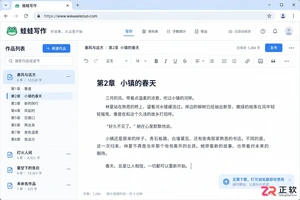
想知道蛙蛙写作有没有电脑客户端?官方推荐直接使用浏览器访问PC端,支持将网页添加为桌面应用快捷方式,实现独立窗口创作。本文介绍电脑端登录、网页应用安装步骤及手机App区别,助你高效多端同步写作。
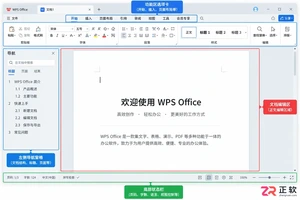
WPS Office点击没反应或闪退?本文介绍Windows环境下的高效排查方法:先结束后台残留进程,再区分是软件故障还是单个文档损坏,最后通过系统自带修复功能恢复组件。无需立即重装,保留个人数据与设置。
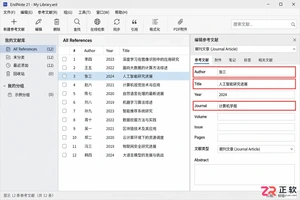
详解EndNote处理中文参考文献的全流程:从规范录入作者与题名字段,到选择GB/T或期刊专用样式,再到Word中一键更新引用列表。避免手动修改导致的格式错乱,确保中英文混排时的标点与排序准确。

PDF加水印最简单的方法是什么?PDF加水印怎么加才能防止被盗用?本文给出三种真实处理路径,说明适用场景、操作重点、常见问题与结果检查方法。

在会声会影12中去除视频底部字幕需先区分字幕类型。独立标题可直接删除轨道,内嵌硬字幕则需通过裁剪画面、添加遮罩或替换无字幕源文件处理。本文提供完整操作步骤及导出前的检查建议,确保成片质量。

在应用商店搜不到蛙蛙写作?本文详解iOS搜索核对方法、Android官方入口确认步骤及电脑浏览器网页版(wawawriter.com)直接使用技巧,助你安全获取正版创作工具。
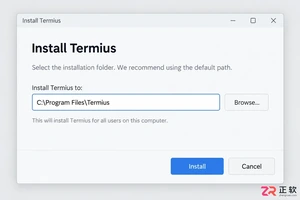
详解Termius官方客户端的下载安装步骤,演示如何在设置中查找并切换中文界面(如版本支持)。涵盖主机添加、SSH密钥管理及SFTP文件传输的基础操作,帮助用户安全高效地管理远程服务器。
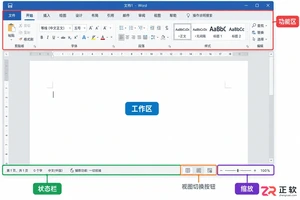
遇到Office文档打开后一片空白或内容不全?先别急着重装。本文教你通过新建文档排查问题,调整Word/Excel/PPT的视图、缩放、隐藏行列及对象可见性设置,并处理文件权限与损坏问题,快速恢复正常显示。
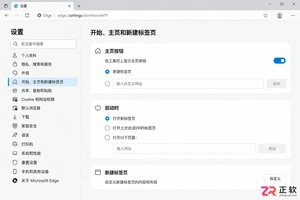
点击 Microsoft Edge 主页按钮或启动浏览器时总是跳转到不想要的网址?本文详解如何在设置中将主页按钮改为新标签页,以及删除启动时自动打开的特定页面,帮助恢复干净的浏览入口。




IntelliJ IDEA 是 JetBrains 推出的专业集成开发环境,重点服务于 Java、Kotlin 与 JVM 项目开发。软件集成代码补全、静态检查、重构、调试、测试、版本控制及构建工具,并可借助插件扩展语言和框架支持。

JetBrains PyCharm 是面向 Python 开发者的集成开发环境,提供智能补全、代码检查、重构、调试、测试、版本控制及虚拟环境管理功能。Mac 版兼容 Intel 与 Apple 芯片,核心功能可免费使用。

JetBrains WebStorm 是面向 JavaScript、TypeScript 和现代 Web 技术的专业集成开发环境,可智能理解项目结构,提供代码补全、重构、错误检查、运行调试、测试及 Git 工具。

JetBrains IntelliJ IDEA 是以 Java、Kotlin 和 JVM 项目为核心的专业集成开发环境,提供智能补全、代码检查、安全重构、调试、测试、版本控制及构建工具集成。统一发行版的核心功能可免费用于商业和非商业项目,

PhpStorm 是 JetBrains 面向 PHP 与现代 Web 开发打造的专业集成开发环境,提供代码补全、静态检查、重构、调试、测试、数据库、版本控制及前端语言支持。Windows 用户可直接下载安装程序,

PyCharm 是 JetBrains 推出的 Python 集成开发环境,提供智能代码补全、错误检查、重构、调试、测试、Git、终端及 Jupyter Notebook 支持。统一版安装后可体验 30 天 Pro 功能,


